
How ratings work
Most firms on LawStreet show a star rating. This page explains where it comes from, what it means, and what a firm can do about it.
The stars are Google's. We match each of a firm's offices to its Google listing and show that listing's rating and number of reviews. A firm's overall rating combines its offices. Nobody can pay to change a rating, or to change where it puts them in search results.
Where the stars come from
Every rating on LawStreet comes from Google. It is the average score and the number of reviews on a Google listing. We show those two figures and nothing else. We do not show the reviews themselves, and we do not collect reviews of our own.
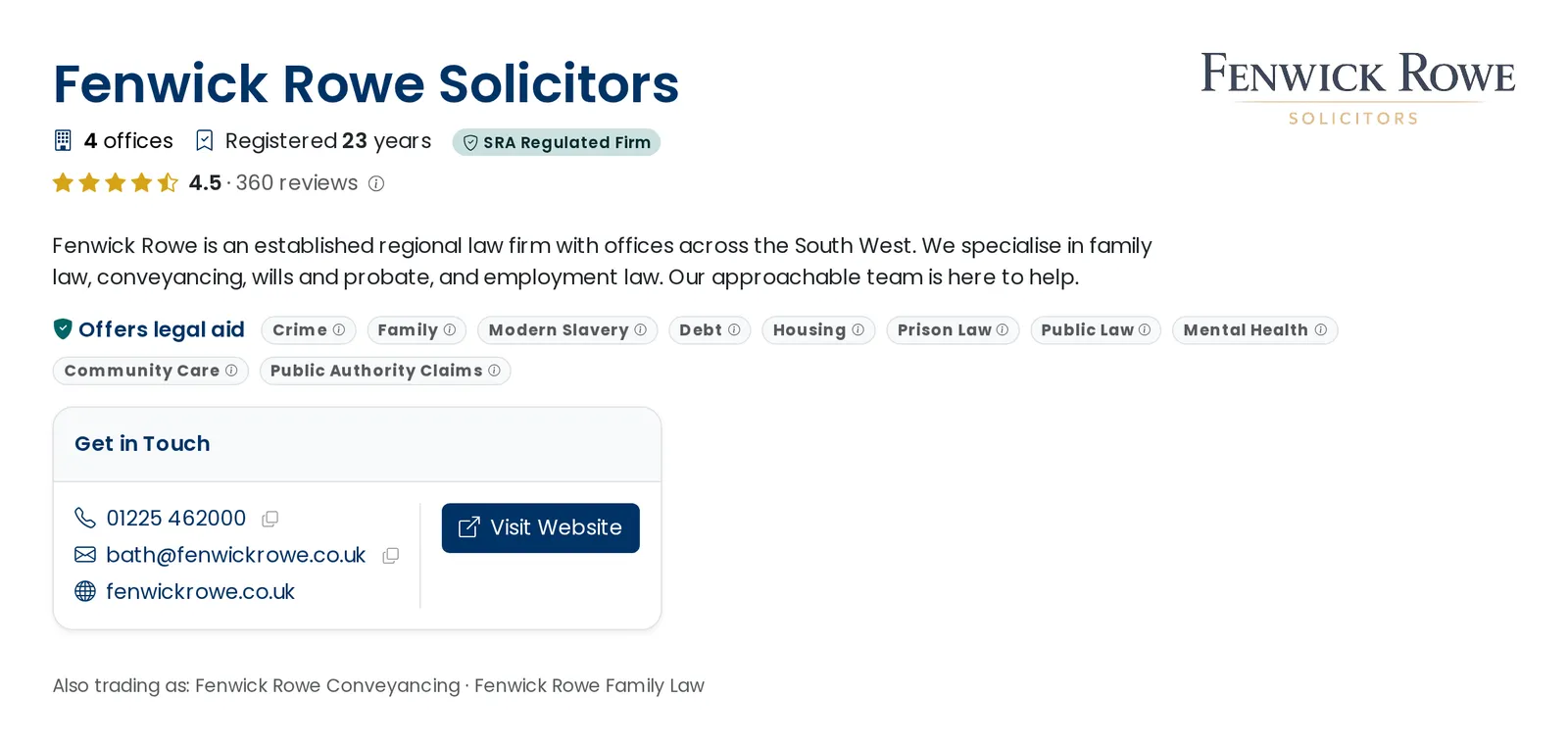
A firm's profile, with its overall rating under the firm's name. The small information icon beside it opens an explanation of that firm's figure.
One rating for each office
Most firms have more than one office, and each office has its own Google listing. So we match office by office. Each office shows its own rating in the Offices section of the profile, with a link to its listing on Google.
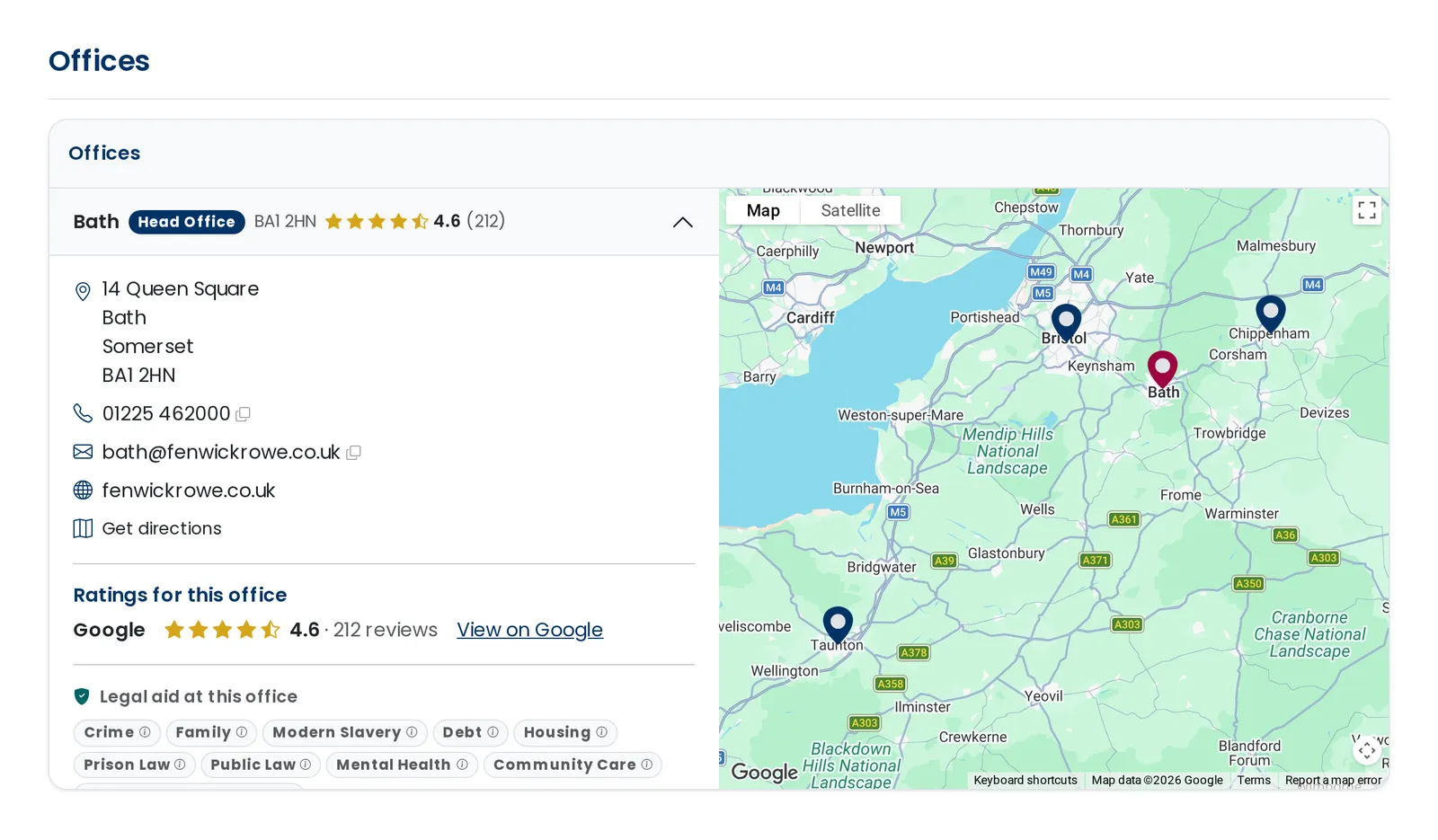
The Offices section, with each office's rating and a link to its Google listing.
Before we show a rating, the Google listing has to agree with the firm's record at the Solicitors Regulation Authority on:
- the firm's name
- the firm's website
- the office's phone number
- the office's postcode
If they do not agree, we show nothing for that office. A missing rating is not a bad rating. It usually means we have not found the right listing yet.
How a firm's overall rating is worked out
A firm's overall rating combines its offices. Each office counts in proportion to its number of reviews, so an office with 212 reviews has far more effect than one with 57.
| Office | Rating | Reviews |
|---|---|---|
| Bath, head office BA1 2HN | 4.6 | 212 |
| Bristol BS1 6PL | 4.3 | 148 |
| Chippenham SN15 3HP | 4.8 | 57 |
| Taunton TA1 1RZ | 5.0 | 3 |
| The firm's overall rating | 4.5 | 417 |
Chippenham is rated 4.8, yet the overall figure is 4.5. That is because Bath and Bristol have far more reviews, and they count for the most. Taunton has only three reviews, so it is not counted yet.
The five-review rule. An office needs at least five reviews before it counts towards the firm's overall rating. With fewer, one review swings the average too far. The office still shows its own rating. A firm with no office at five reviews has no overall rating.
Why a firm might have no rating
A firm shows no overall rating when any of these is true:
- We have not found a Google listing for any of its offices.
- We found a listing, but its details do not agree with the firm's record.
- Every office has fewer than five reviews. The offices still show their own ratings.
- Google reports the listing as closed.
- We have not been able to check the listing for 60 days.
Sorting and filtering by rating
In search results you can sort firms by Highest Rated or Most Reviewed, and you can show only firms rated 3, 4 or 4.5 stars and up. Both use the firm's overall rating. Firms without one come last when you sort, and are left out when you filter.
Some pages also show a list of the highest rated firms. A firm needs at least 20 reviews to appear in one of these lists, so that a handful of reviews cannot put a firm at the top.
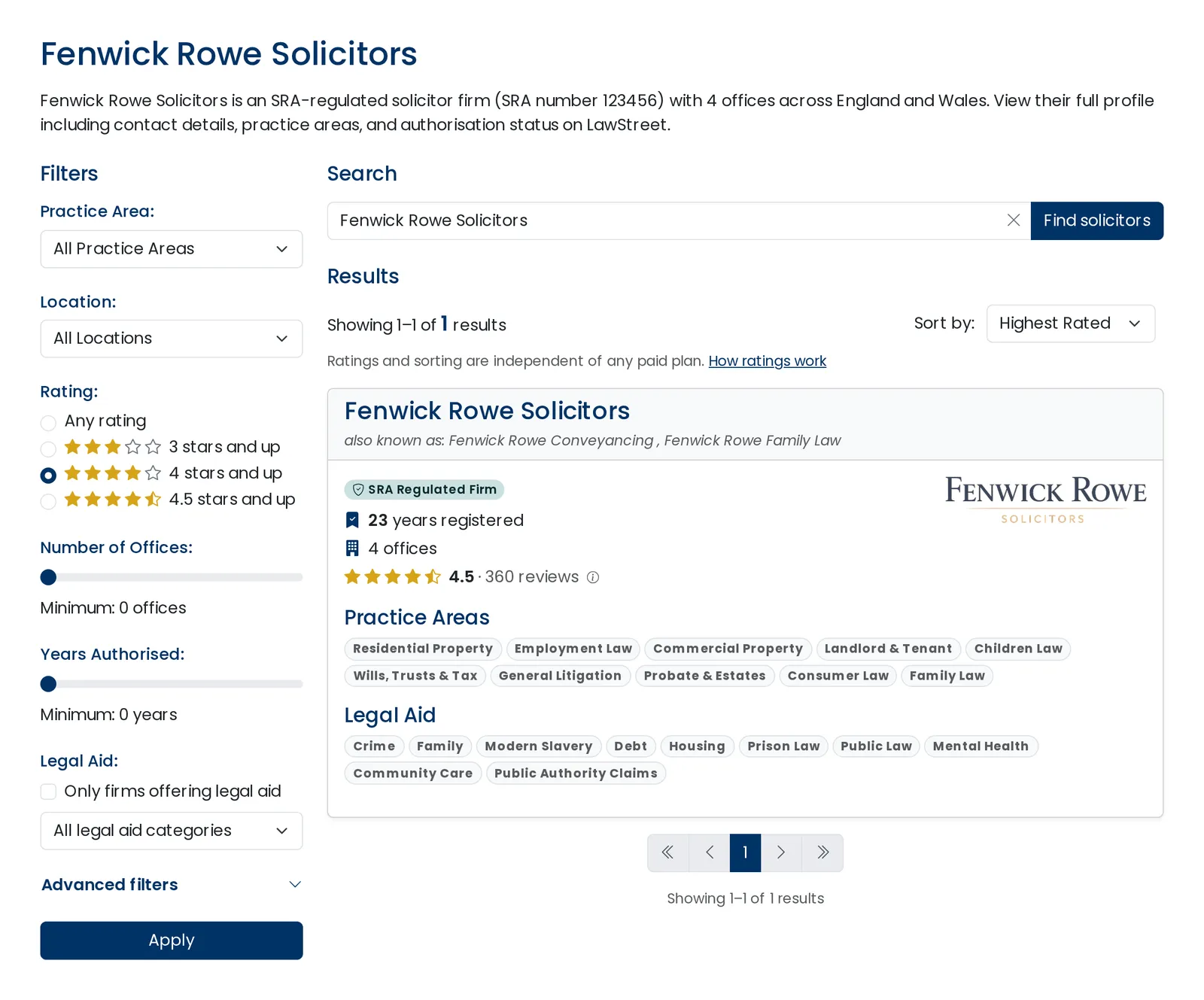
The Sort by menu and the Rating filter on search results.
Paid plans make no difference. A firm cannot pay to change its rating, or its place when you sort by rating. Where a list shows firms on a paid plan first, it says so.
How often we check
We check every listing every 28 days. The date of the last check is shown when you open the explanation beside any rating. If we cannot check a listing for 60 days, its rating stops showing until the next successful check.
Which sources we use
| Source | Matched | What we show | Checked |
|---|---|---|---|
| Office by office | Rating and number of reviews | Every 28 days |
We use one source today. If we add another, it will be listed here, and the explanation beside each rating will show what each source contributes.
If you run a firm
Your rating is shown free, on every plan. Once you have claimed your profile, the Reviews page in your dashboard shows the Google listing we have matched to each of your offices, and gives you three choices.
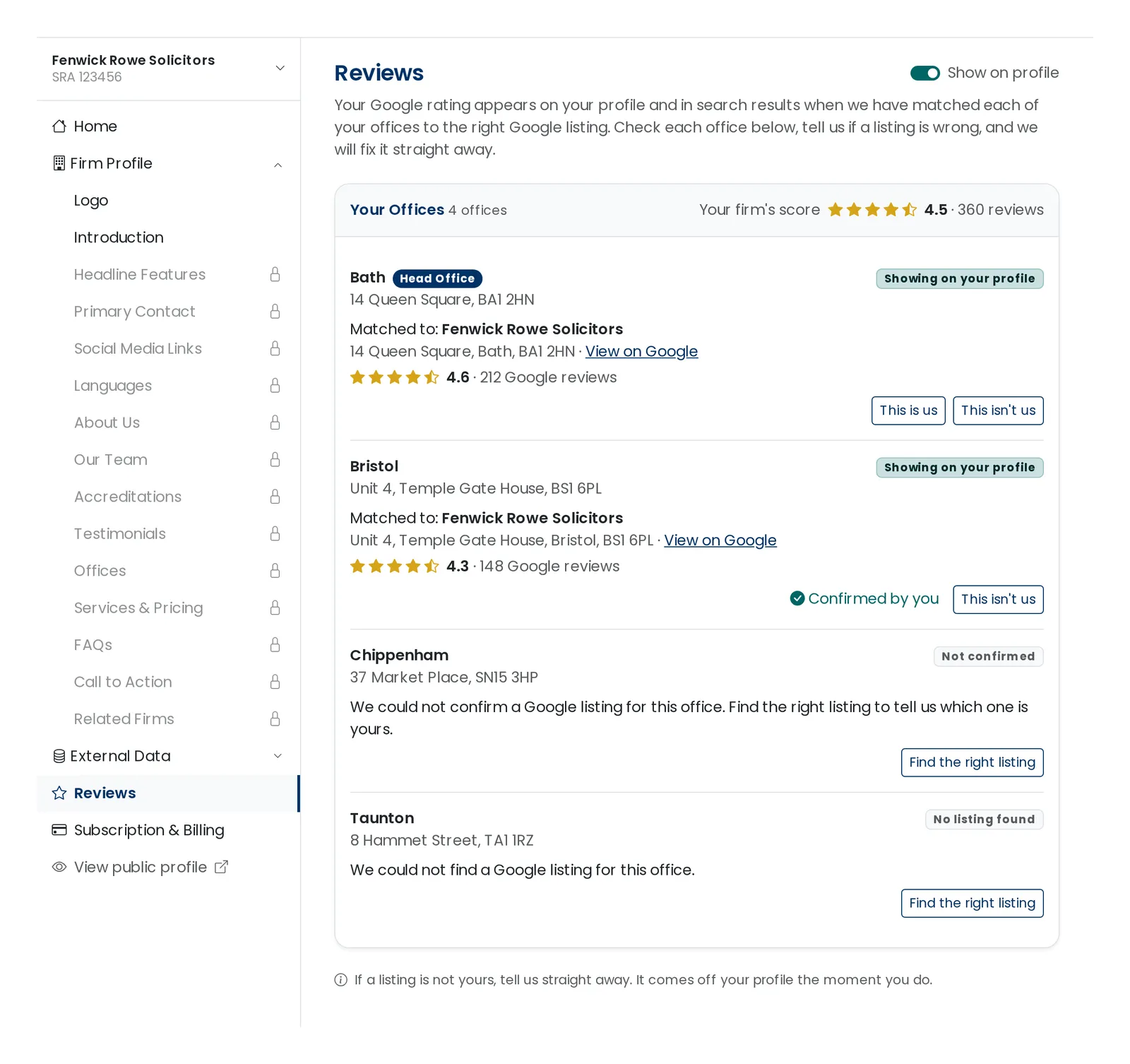
The Reviews page in the firm dashboard.
This is us. Confirms the listing is yours. Nothing changes on your profile, but we treat the match as confirmed by you.
This isn't us. Removes that listing's rating from your profile straight away. We will never match that listing to that office again.
Find the right listing. Lets you point us to the correct listing. We check it against your office's details, and its rating shows once they agree.
You can also choose not to show ratings at all. If you do, nothing shows for your firm anywhere, and your firm is left out when visitors sort or filter by rating.
If something looks wrong
If you think a rating is shown against the wrong firm or the wrong office, tell us through our complaints procedure and a person will look at it.
The reviews themselves belong to Google. If you think a review is false, you can report it to Google from the listing.